Save the Sale
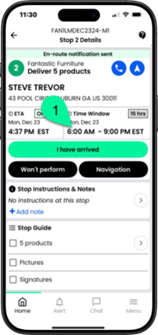
The Service Provider Employee (SPE) must arrive on the app.
El empleado del proveedor de servicios (SPE) debe registrar su llegada en la aplicación.
L’employé du fournisseur de services (SPE) doit arriver sur l’application.
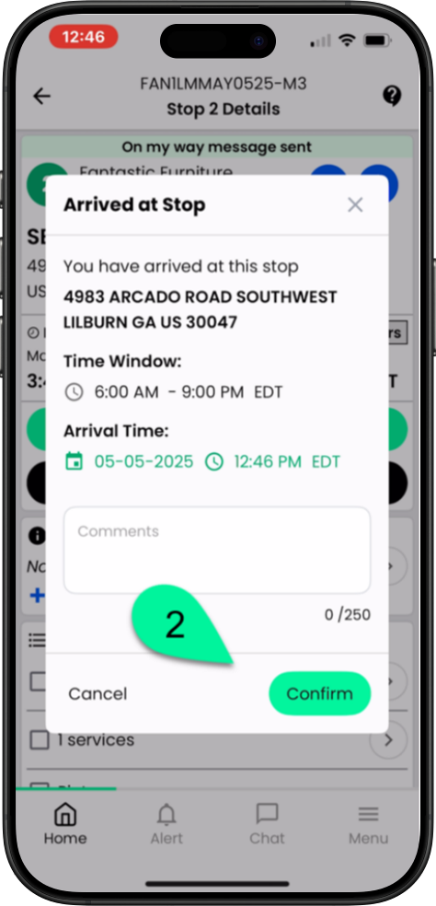
Once they have confirmed the date and time of their arrival, tap Confirm
Una vez que hayan confirmado la fecha y la hora de su llegada, pulsen Confirmar.
Une fois qu’ils ont confirmé la date et l’heure de leur arrivée, appuyez sur Confirmer
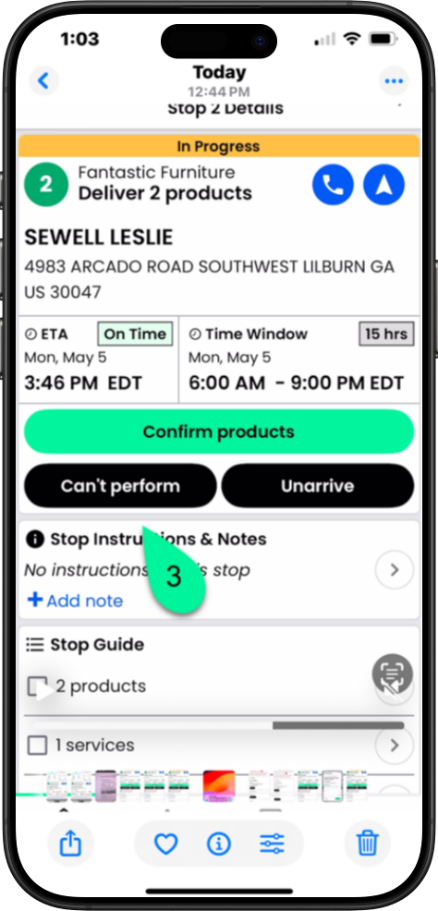
Stop level. Before scanning the items, tap Can’t perform.
Detener el proceso. Antes de escanear los artículos, toque “No se puede realizar”.
Niveau d’arrêt. Avant de numériser les articles, appuyez sur « Impossible d’effectuer l’opération ».
Using the dropdown, select the stop exception type as Cannot Perform stop.
Mediante el menú desplegable, seleccione el tipo de excepción de parada como “No se puede realizar la parada”.
Dans la liste déroulante, sélectionnez le type d’exception d’arrêt « Impossible d’effectuer l’arrêt ».
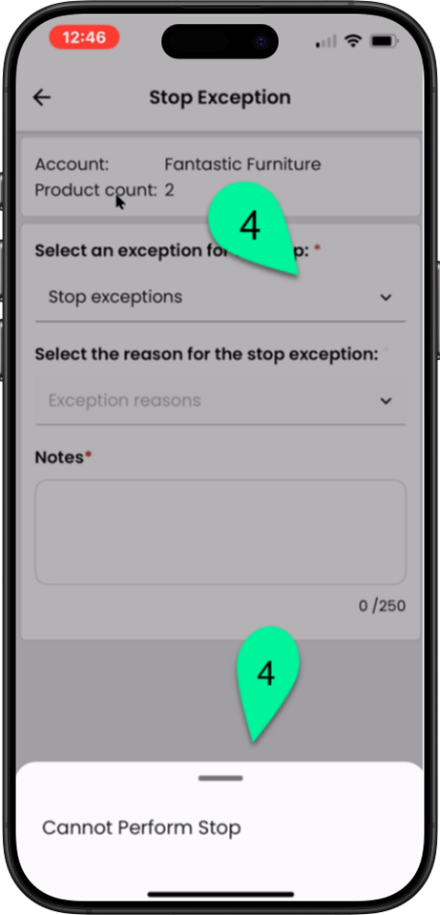
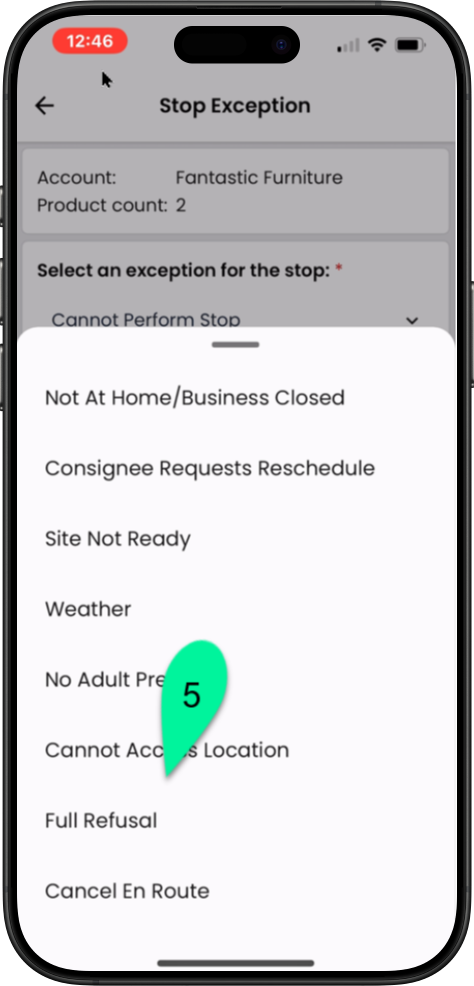
Using the dropdown, select the reason for the stop exception.
Utilizando el menú desplegable, seleccione el motivo de la excepción de la parada.
À l’aide du menu déroulant, sélectionnez la raison de l’exception d’arrêt.
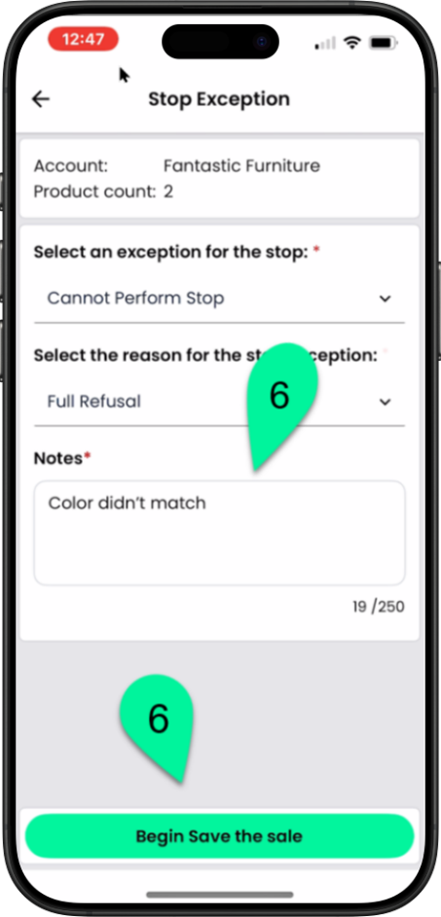
Enter the reason for the exception, then tap Begin Save the sale.
Introduzca el motivo de la excepción y, a continuación, toque “Comenzar a guardar la venta”.
Entrez le motif de l’exception, puis appuyez sur Commencer. Enregistrer la vente.
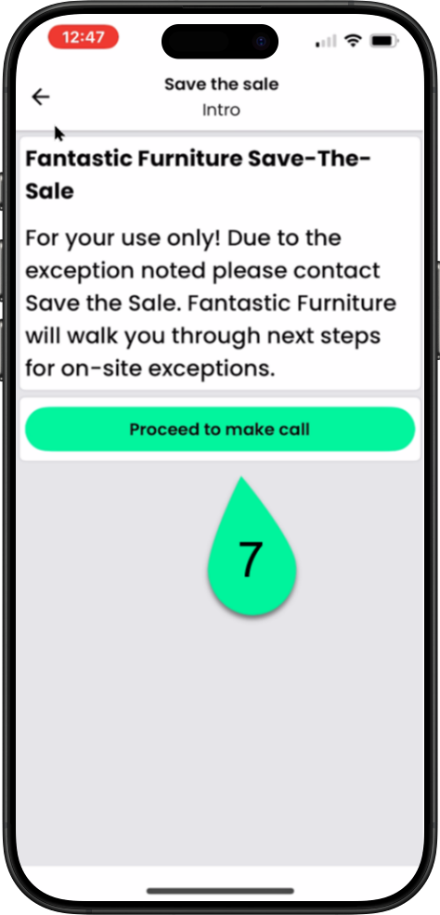
You will be shown the reason for the call, then tap Proceed to make call.
Se le mostrará el motivo de la llamada; a continuación, toque “Continuar” para realizar la llamada.
Le motif de l’appel vous sera indiqué, puis appuyez sur « Continuer » pour faire l’appel.
The phone number will be set for the account you are delivering for.
El número de teléfono se configurará para la cuenta para la que estás realizando la entrega.
Le numéro de téléphone sera attribué au compte pour lequel vous effectuez la livraison.
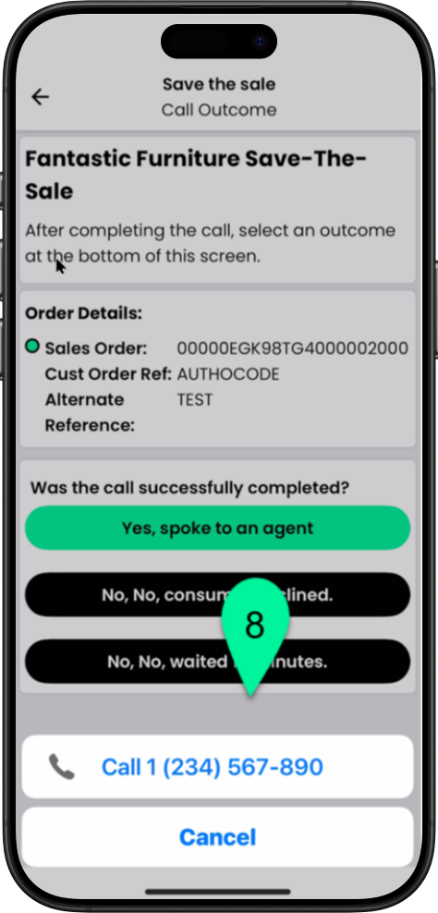
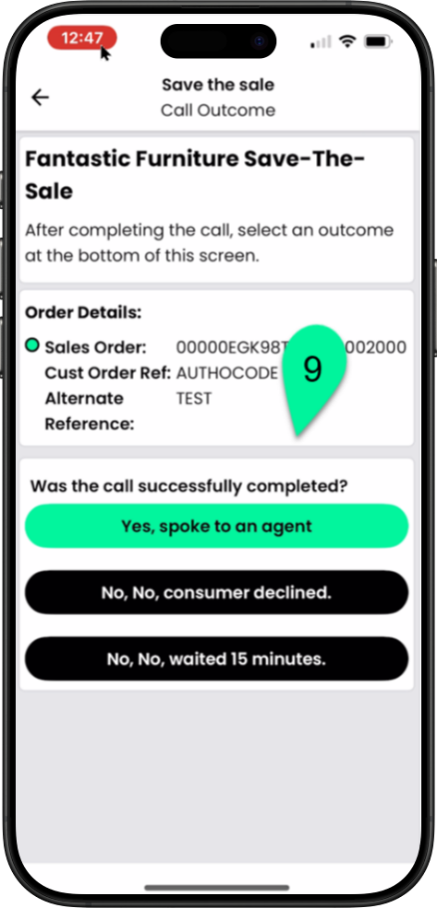
Tap the appropriate response resulting from the call
Toque la respuesta adecuada que corresponda a la llamada.
Sélectionnez la réponse appropriée à la suite de l’appel.