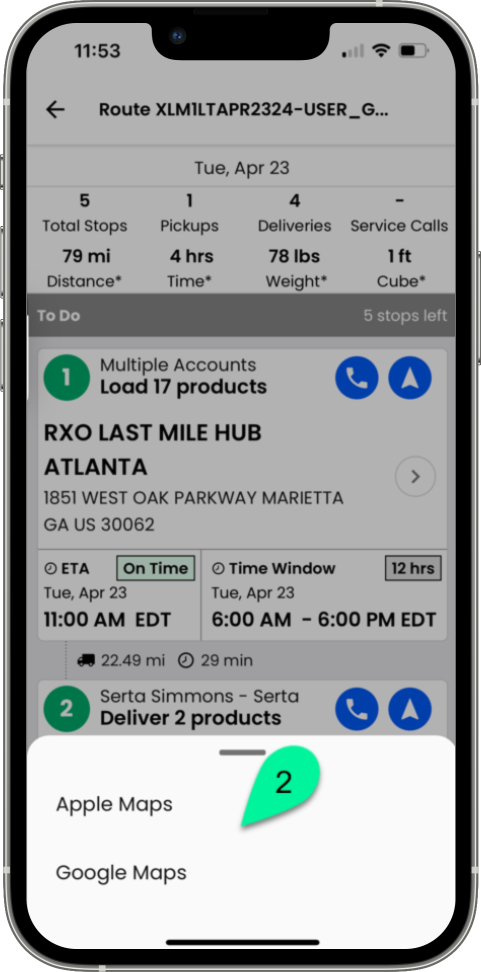
Navigate to the first stop
Heading to the next stop on your route
When you are ready to navigate to your first stop, tap on the arrow in the top right hand corner of the stop card.
Cuando estés listo para dirigirte a tu primera parada, toca la flecha en la esquina superior derecha de la tarjeta de la parada.
Lorsque vous serez prêt à vous rendre à votre premier arrêt, appuyez sur la flèche située dans le coin supérieur droit de la fiche d’arrêt.
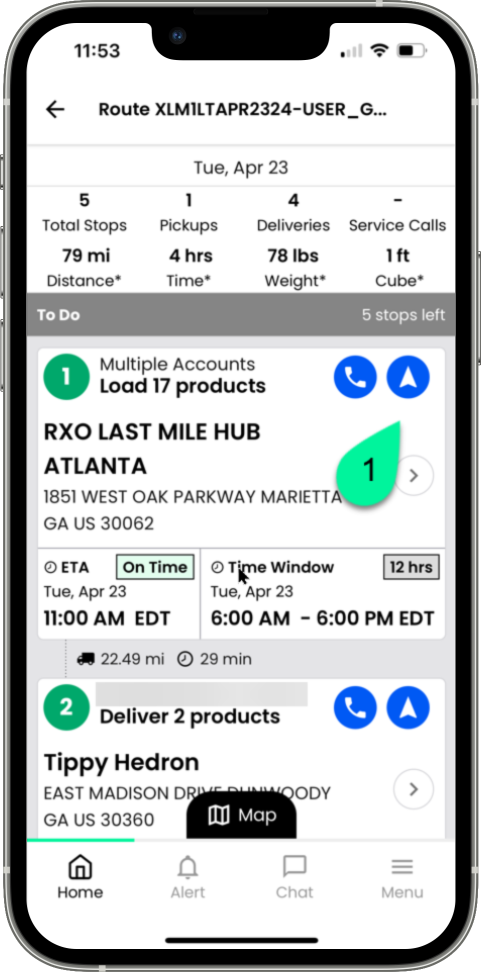
Any and all navigation apps will appear at the bottom of the screen for you to select from
Todas las aplicaciones de navegación aparecerán en la parte inferior de la pantalla para que puedas seleccionarlas.
Toutes les applications de navigation apparaîtront au bas de l’écran et vous pourrez les sélectionner.